Delete your account
Permanently remove your Hopn account and the personal data linked to it. This page explains how to delete your account from the Hopn Passenger app or the Hopn Navigator Driver app.
8258031 Canada Inc., doing business as Hopn, operates the account-deletion process described below. This page covers accounts created in the Hopn Passenger app and Hopn Navigator Driver app.
Open Settings
Open the app menu and tap Settings.
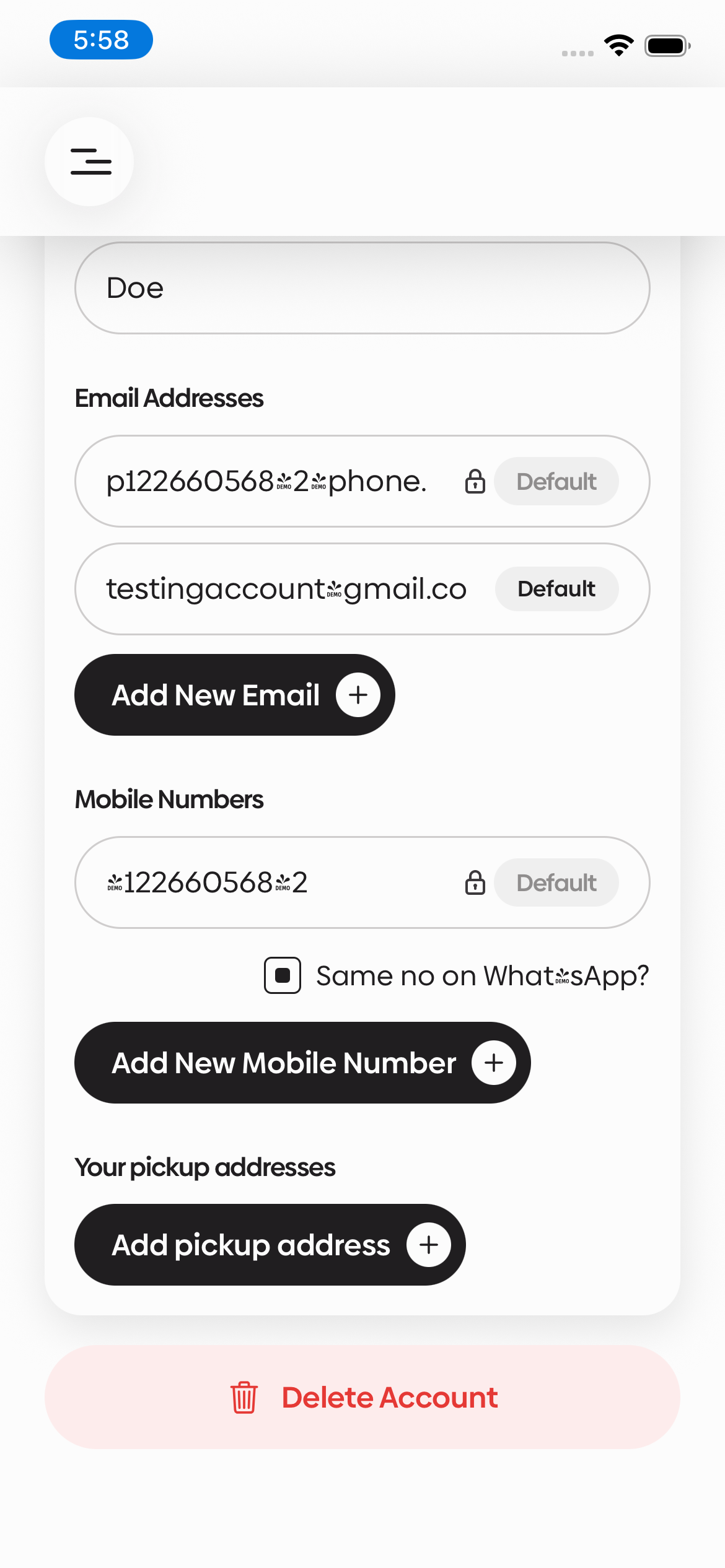
Tap Delete Account
Scroll to the bottom of the Settings page and tap Delete Account.
Confirm deletion
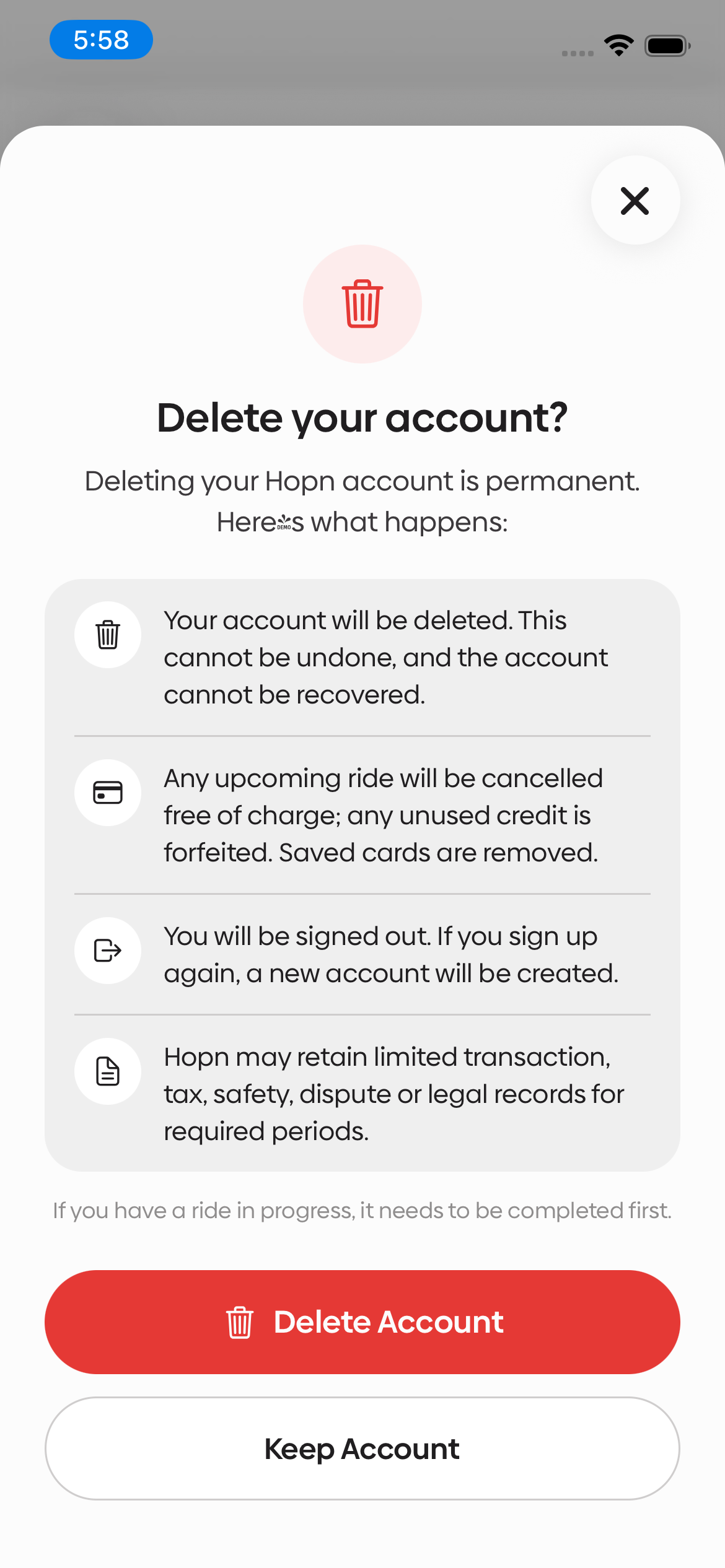
Deleting your Hopn account is permanent. Here’s what happens:
- Your account and associated personal data are permanently deleted — including chats, call recordings, and location history. This cannot be undone.
- Any upcoming ride will be cancelled free of charge; any unused credit is forfeited. Saved cards are removed.
- You will be signed out. If you sign up again, a new account will be created.
- We retain only financial transaction records we’re legally required to keep, such as invoices and tax records.
If you have a ride in progress, it needs to be completed first.
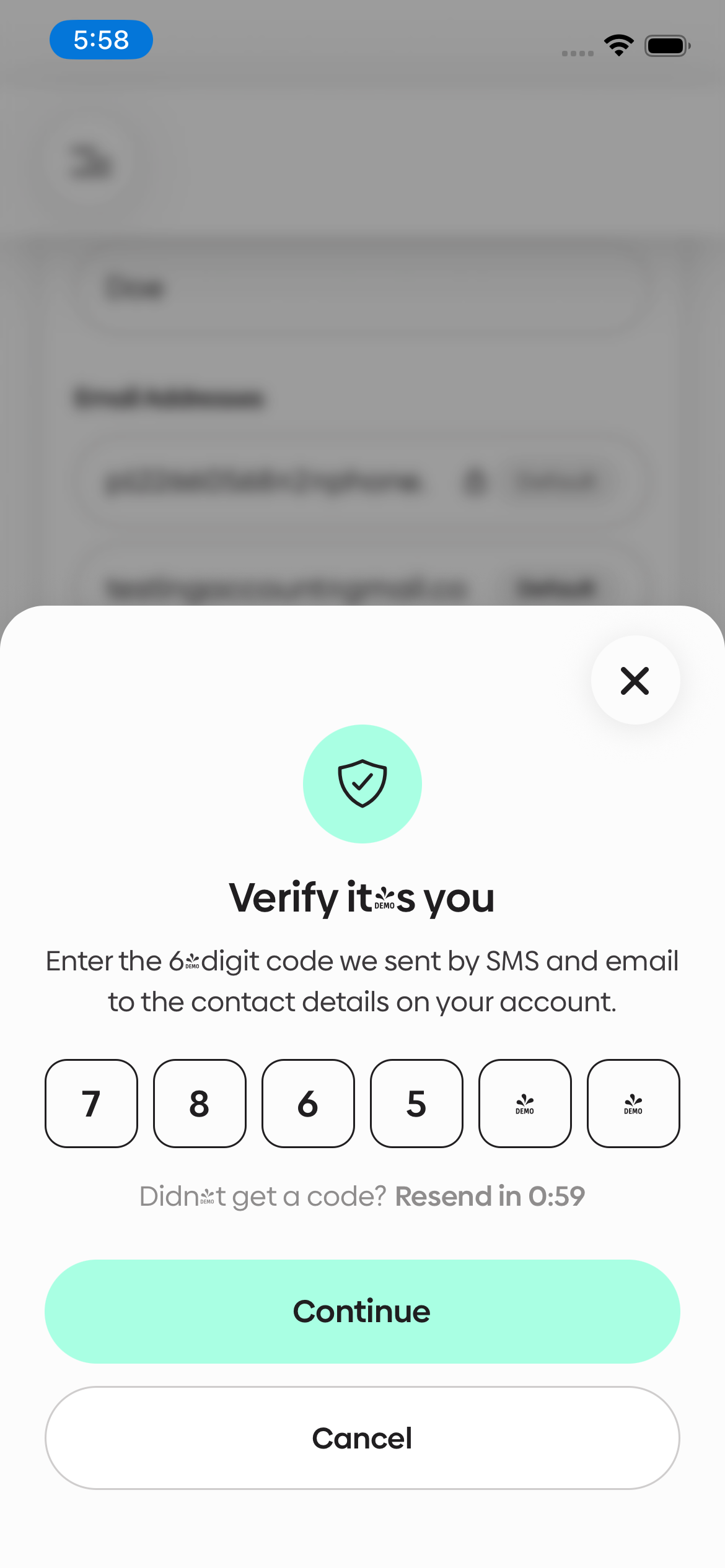
Verify it’s you
Enter the 6-digit code sent by SMS and email to confirm your identity, then tap Continue.
Type DELETE to confirm
Type DELETE and tap Delete My Account. Your account is deleted, you’ll see a deletion reference number, and you’ll be signed out.
Open Settings
From the app menu, go to Settings.
If your driver account is still under review, Settings isn’t available yet. Use Delete without the app below.
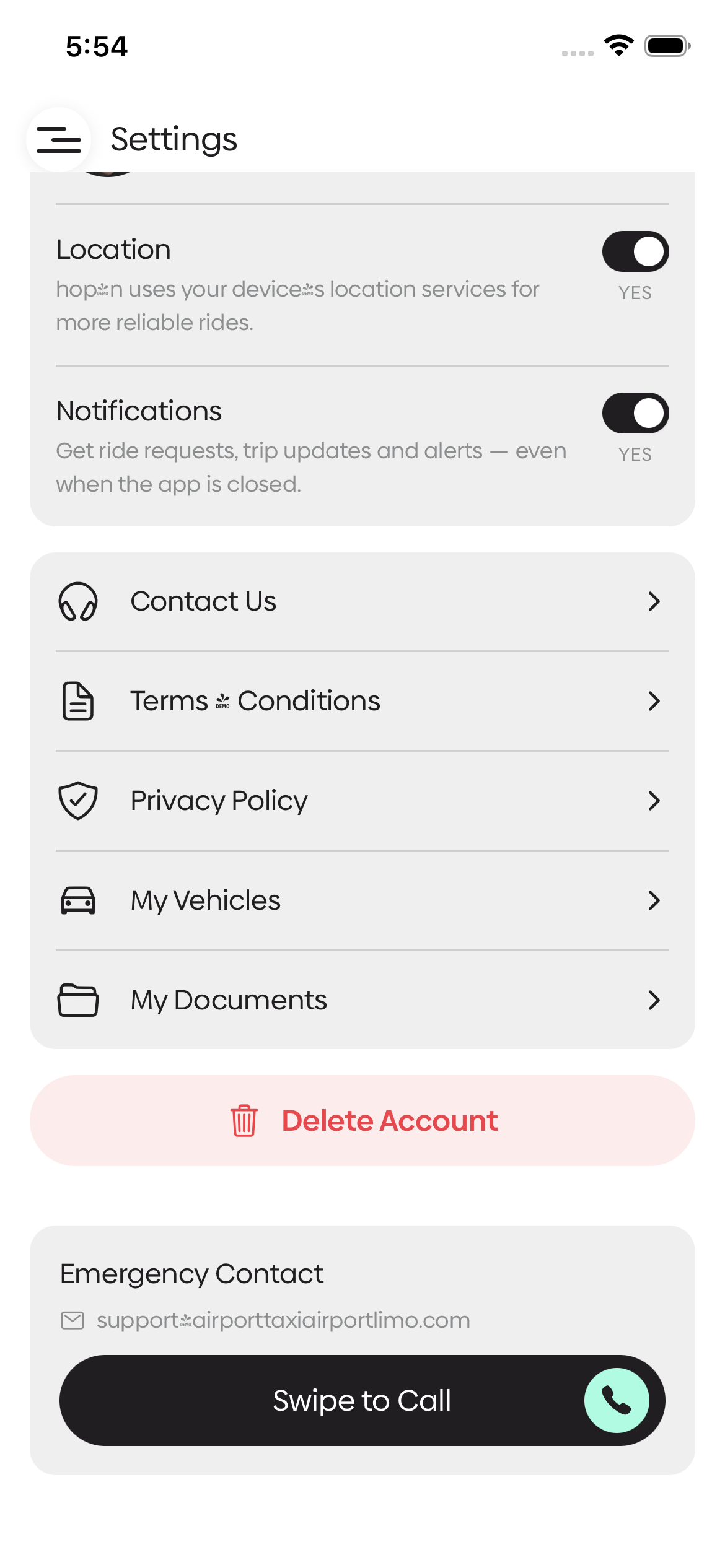
Tap Delete Account
Scroll down and tap Delete Account, below the settings list.
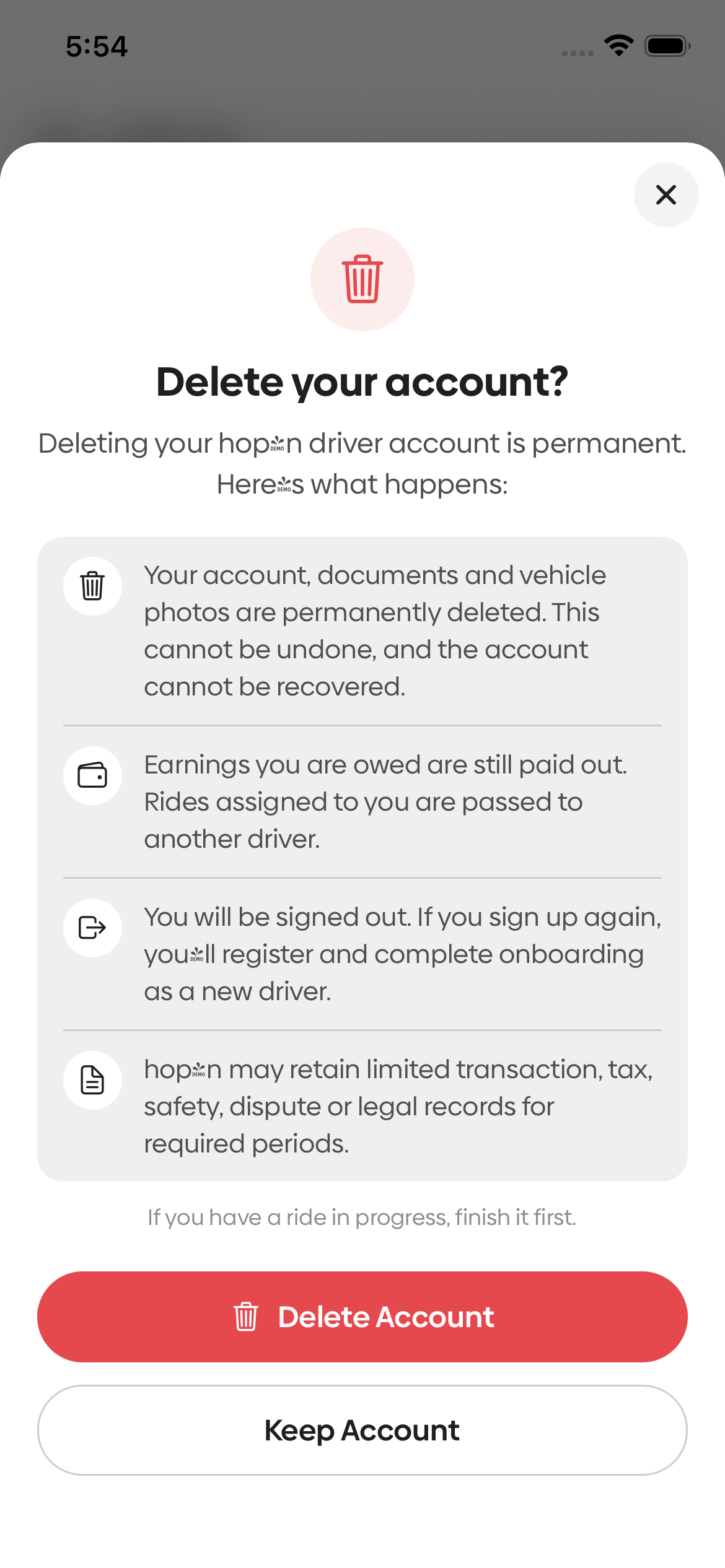
Confirm deletion
Deleting your Hopn driver account is permanent. Here’s what happens:
- Your account and associated personal data are permanently deleted — including documents, vehicle photos, chats, call recordings, and location history. This cannot be undone.
- Earnings you are owed are still paid out. Rides assigned to you are passed to another driver.
- You will be signed out. If you sign up again, you’ll register and complete onboarding as a new driver.
- We retain only financial transaction records we’re legally required to keep, such as payout and tax records.
If you have a ride in progress, finish it first.
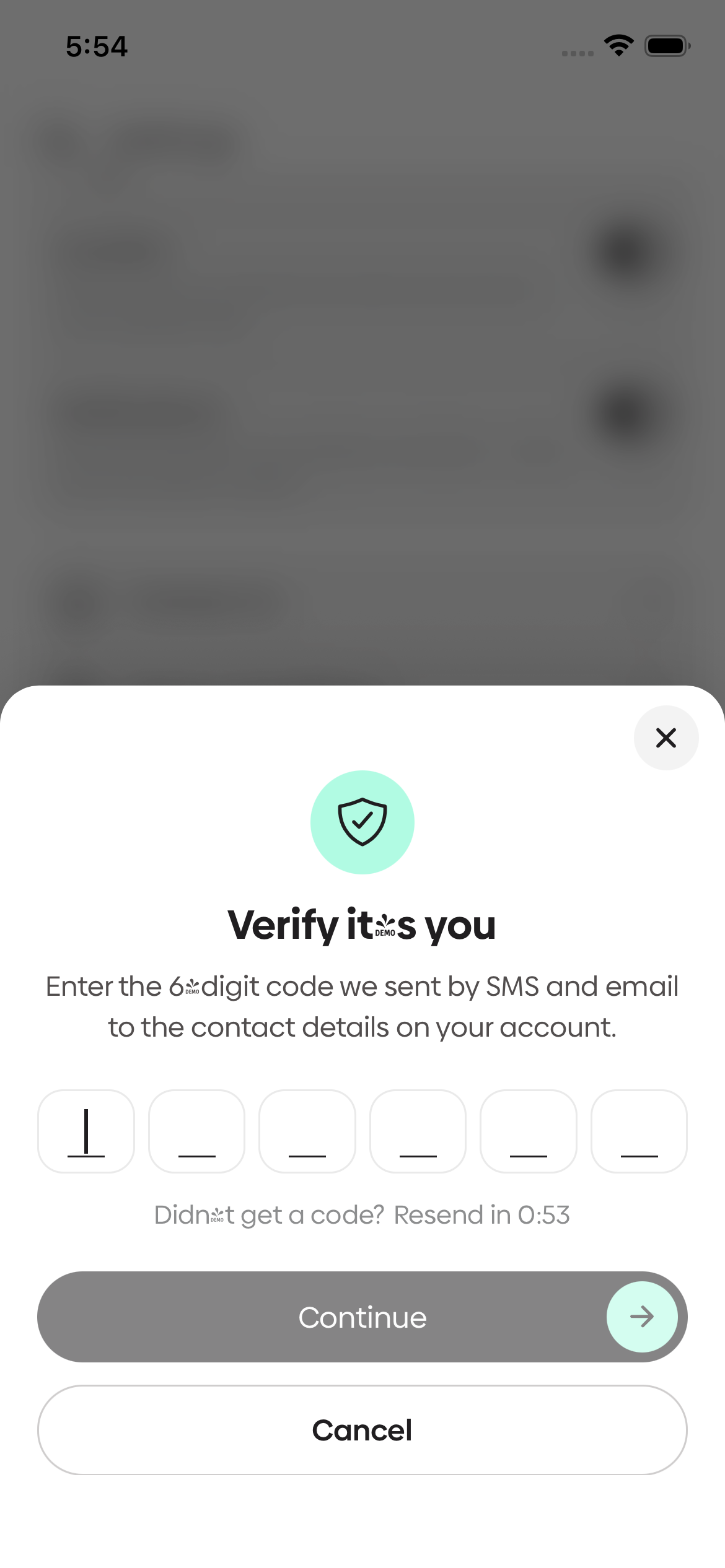
Verify it’s you
Enter the 6-digit code sent by SMS and email to confirm your identity, then tap Continue.
Type DELETE to confirm
Type DELETE and tap Delete My Account. Your account is deleted, you’ll see a deletion reference number, and you’ll be signed out.
What happens when you delete your account
For full details, see our Privacy Policy.
When you delete your account, your account and associated personal data are permanently deleted, including:
- Profile and contact information
- Saved payment cards and Square payment credentials
- Google and Apple sign-in connections
- Messages and chats
- Call recordings
- Location history
- Uploaded photos, and (for Drivers) selfies, licence, and vehicle documents
- Device tokens, sessions, and notification identifiers
We retain only financial transaction records we’re legally required to maintain — such as invoices, payments, payouts, and tax records. These records are never used to restore your account or for marketing.
Delete without the app
Don’t have the app installed, or can’t reach Settings?
Email support@airporttaxiairportlimo.com with the subject “Delete my account” and tell us:
- whether it is a Hopn (passenger) or Hopn Navigator (driver) account, and
- the email address or phone number on the account.
To confirm it’s you, we’ll send a verification code to the contact details on the account. Once you confirm, your account and associated personal data are permanently deleted. We retain only financial transaction records that we are legally required to maintain.
Need help?
Questions about deletion or retained data?
support@airporttaxiairportlimo.comContact & Privacy Officer
8258031 Canada Inc., doing business as Hopn
Attention: Privacy Officer
3972 Deepwood Heights, Mississauga, ON L5M 6L9, Canada
Email: support@airporttaxiairportlimo.com
Support: booking@airporttaxiairportlimo.com · 416-458-2132
Read our Privacy Policy or Terms of Use for more detail.


 416-458-2132
 416-458-2132
 booking@airporttaxiairportlimo.com